1.1.1. Logging in via Uni-ID#
You log in to the portal using your university ID. When you log in for the first time, a new account will be created on the portal and linked directly to your university ID.
The login process involves several steps and can be somewhat confusing. We will show you step by step how to proceed:
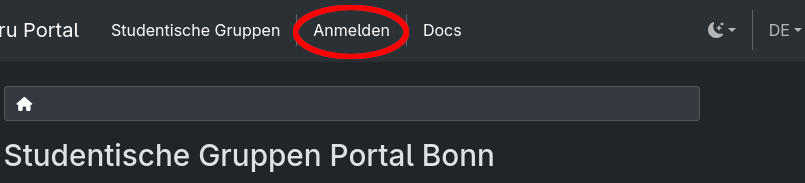
First, click on the “Sign In” button in the navigation bar at the top.#
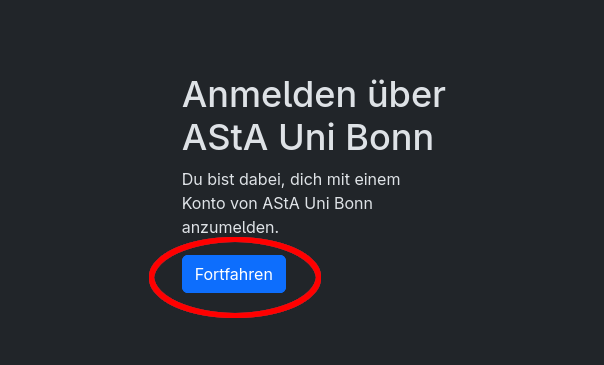
Then click “Continue” to be redirected.#
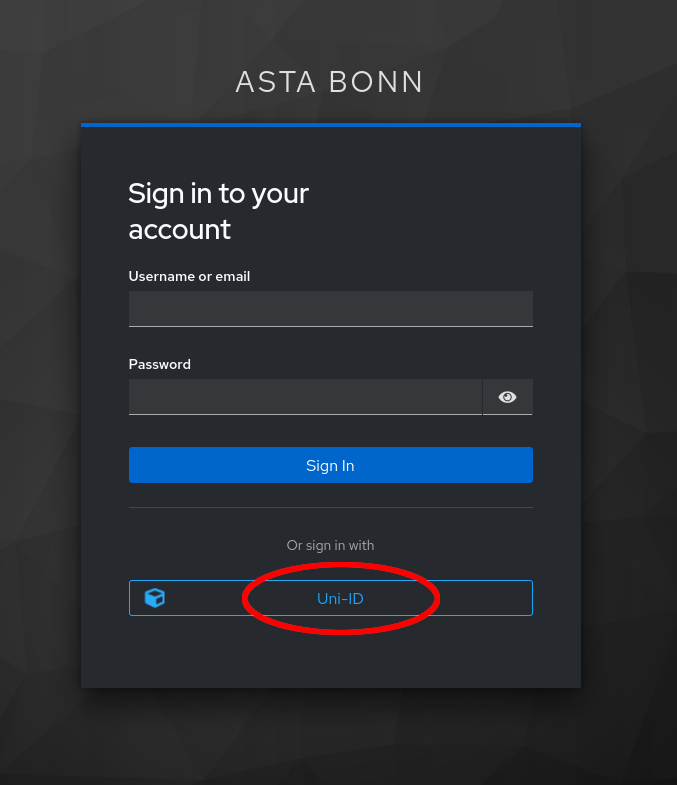
The AStA login service screen will open. Click on the “Uni-ID” button at the bottom of the screen to be redirected to the university website.#
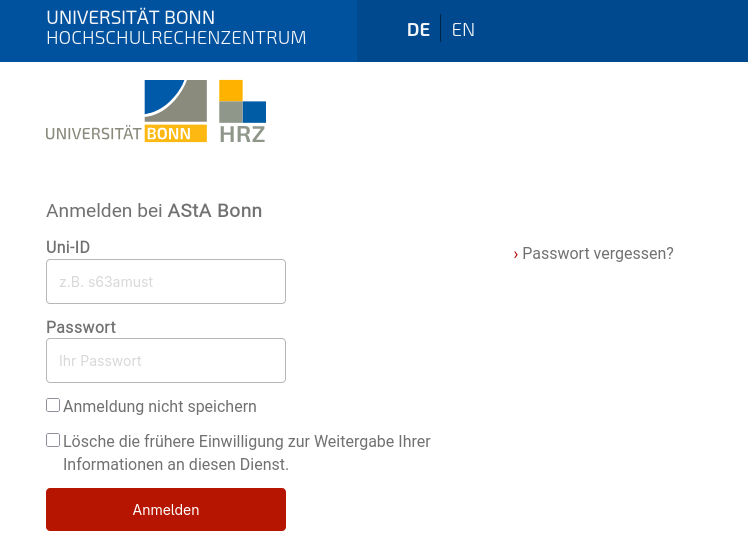
Similar to logging in to eCampus, a page from the University of Bonn will now open. Log in here with the university ID from your student account. You should then be automatically redirected back to the portal.#
Important
If you have multiple university accounts (e.g., because you also work at the university), please use the university ID from your student account!